
Multi-Timeframe High Low Indicator MT4/MT5 Guide



Introduction to Multi-Timeframe Trading
Multi-timeframe trading is a powerful strategy used by experienced traders around the world. Instead of analyzing only one timeframe, traders examine several—like 1-hour, 4-hour, daily, and weekly charts—to get a complete market picture.
This approach is widely used in the global Forex market because price movements behave differently across timeframes. What looks like a breakout on a 15-minute chart might actually be strong resistance on the daily chart.
What Is a High Low Indicator?
A High Low Indicator marks the highest and lowest price levels within a specific timeframe. These levels often act as:
- Strong support zones
- Major resistance areas
- Breakout triggers
- Liquidity zones
When combined across multiple timeframes, these levels become even more powerful.
Why Multi-Timeframe Analysis Matters
Think of trading like looking at a map. If you only zoom in, you miss the bigger picture. If you only zoom out, you miss details. Multi-timeframe analysis gives you both.
Benefits include:
- Clear trend direction
- Reduced false signals
- Better trade timing
- Stronger confirmation
How the Multi TimeFrame High Low Indicator Works
The Multi TimeFrame High Low Indicator automatically displays high and low levels from higher timeframes directly onto your active chart.

For example:
- You’re trading on a 1-hour chart
- The indicator shows daily high/low
- It also displays weekly high/low
This saves time and eliminates the need to switch between charts.
Identifying Daily, Weekly, and Monthly Highs
The indicator tracks:
- Previous day high/low
- Current day high/low
- Weekly high/low
- Monthly high/low
These are critical institutional trading levels.
Automatic Level Plotting
Once installed, the indicator automatically draws horizontal lines at selected timeframe levels.
Dynamic vs Static Levels
- Static Levels: Previous session high/low (fixed after session closes)
- Dynamic Levels: Current session high/low (adjust as price moves)
Benefits of Using Multi-Timeframe High Low Levels
Improved Support and Resistance Detection
High and low levels are natural support and resistance zones. When price approaches these levels, reactions are common.
Better Risk Management
You can:
- Place stop losses beyond higher timeframe levels
- Target profit near significant highs or lows
- Avoid trading into strong resistance
Entry and Exit Optimization
Instead of entering randomly, you can wait for:
- Breakouts above weekly highs
- Rejections from daily lows
- Confirmations from multiple timeframe confluence
Using the Indicator on MetaTrader 4

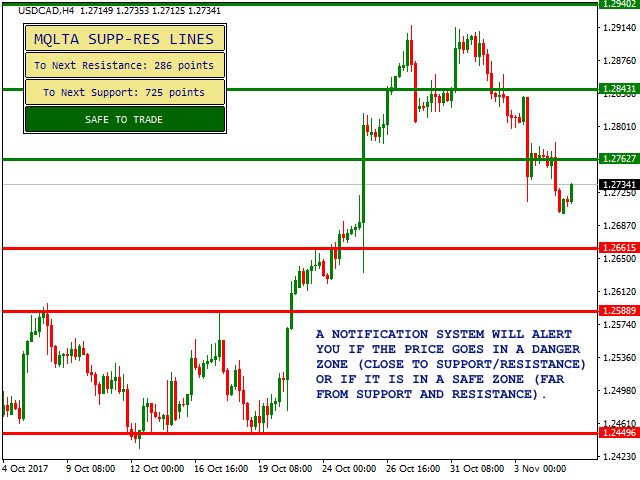
4
The Multi TimeFrame High Low Indicator works seamlessly on MetaTrader 4, developed by MetaQuotes Software.
Installation Steps for MT4
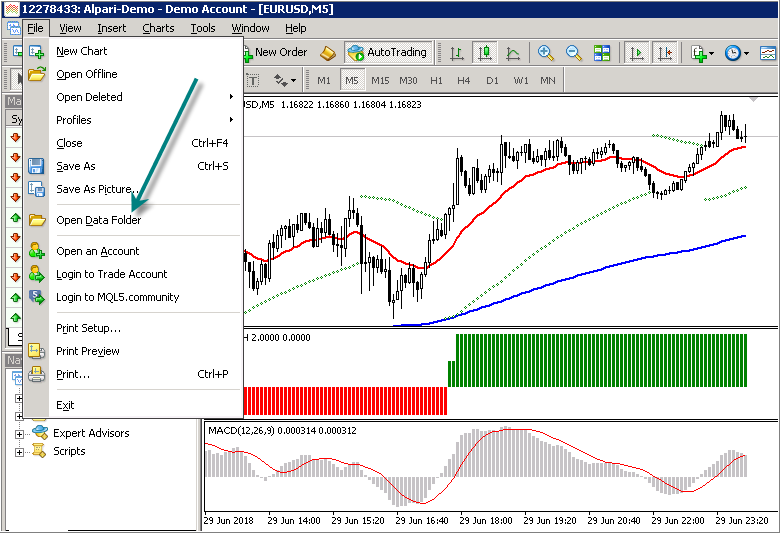
- Download the indicator file (.ex4 or .mq4).
- Open MT4.
- Click File → Open Data Folder.
- Navigate to MQL4 → Indicators.
- Paste the file there.
- Restart MT4.
- Drag the indicator onto your chart.
You can learn more about MT4 directly from the official site:
https://www.metatrader4.com/
Custom Settings Configuration
You can adjust:
- Timeframes displayed
- Line colors
- Line styles
- Alert notifications
Customization allows you to reduce chart clutter while keeping key levels visible.

Using the Indicator on MetaTrader 5
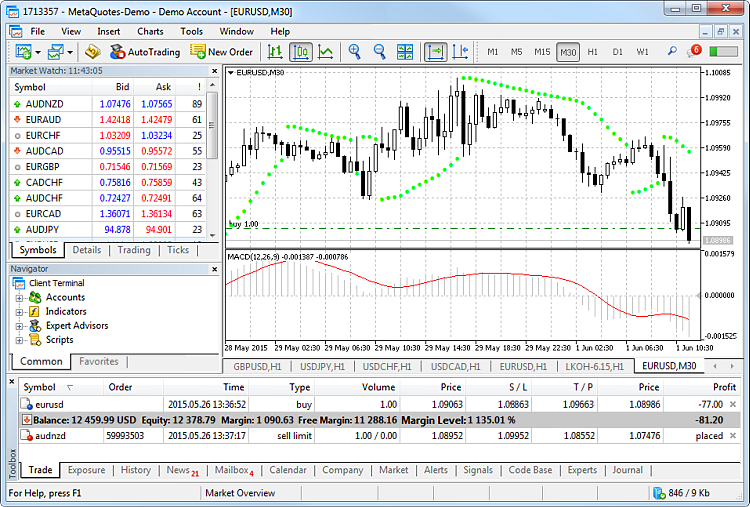
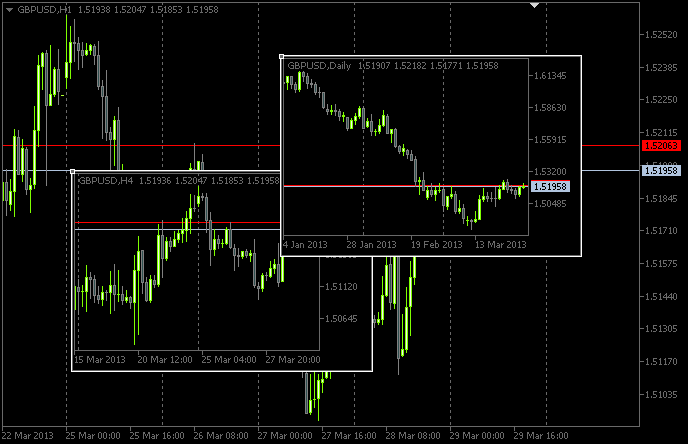
4
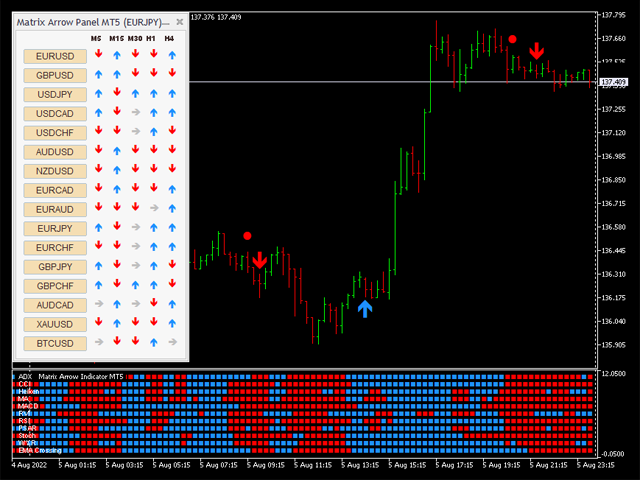
The indicator is also fully compatible with MetaTrader 5, which offers enhanced charting and faster execution.
Installation Steps for MT5
- Download the (.ex5 or .mq5) file.
- Open MT5.
- Go to File → Open Data Folder.
- Navigate to MQL5 → Indicators.
- Paste the file.
- Restart the platform.
- Attach to chart.
Parameter Optimization
MT5 allows:
- More timeframe combinations
- Custom session adjustments
- Advanced alert triggers
This makes it ideal for professional traders.
Multi TimeFrame High Low Indicator MT4/MT5 FREE Download – Key Features
Here are the standout features of the Multi TimeFrame High Low Indicator MT4/MT5 FREE Download:
Custom Timeframe Selection
Choose which levels to display:
- H1
- H4
- Daily
- Weekly
- Monthly
Alert System Integration
Get notifications when:
- Price touches a level
- Price breaks a level
- Candle closes beyond a key high or low
Visual Chart Enhancements
The indicator offers:
- Color-coded levels
- Labeling options
- Clean minimal design
Best Trading Strategies With This Indicator
Breakout Strategy
Wait for price to:
- Consolidate below weekly high
- Break above with strong momentum
- Retest level
- Enter on confirmation
Reversal Strategy
If price reaches a major monthly high:
- Look for rejection candles
- Confirm with RSI or MACD
- Enter short trade
Trend Confirmation Strategy
Combine:
- Daily trend direction
- Weekly high/low alignment
- Lower timeframe entry
This creates high-probability setups.
Common Mistakes to Avoid
Even with the best tools, mistakes happen. Avoid:

- Trading every level blindly
- Ignoring overall trend
- Overloading chart with too many timeframes
- Skipping proper stop loss placement
Remember—no indicator guarantees profits.
FAQs
1. Is the Multi TimeFrame High Low Indicator MT4/MT5 FREE Download really free?
Yes, many versions are available at no cost from trading communities and developer forums.
2. Does it repaint?
No. Previous session highs and lows are fixed once the period closes.
3. Can beginners use it?
Absolutely. It’s simple and beginner-friendly.
4. Which timeframe works best?
Daily and weekly levels are the most respected by institutional traders.
5. Can it be used for scalping?
Yes. Combine higher timeframe levels with lower timeframe entries.
6. Does it work on all currency pairs?
Yes. It works on Forex pairs, indices, commodities, and even crypto if your broker supports it.
Conclusion
The Multi TimeFrame High Low Indicator MT4/MT5 FREE Download is a powerful tool for traders who want clarity, structure, and better trade timing. By combining multiple timeframe highs and lows into one chart view, it simplifies decision-making and improves accuracy.
When used correctly—with proper risk management and trend confirmation—it becomes a strategic advantage rather than just another indicator.
If you’re serious about improving your trading performance, this tool is worth adding to your trading setup today.
Most Popular Forex EA


Onix Stratos XAUUSD EA: AI Smart Scalper for MT5
In stock
$0.00 $999.99Price range: $0.00 through $999.99

Elysium Vortex EURCAD EA: AI EURCAD Scalper for MT5
In stock
$0.00 $199.99Price range: $0.00 through $199.99

Equinox Cosmos GBPJPY EA: AI GBPJPY Scalper for MT5
In stock
$0.00 $399.99Price range: $0.00 through $399.99

Apex Quant BTCUSD EA: AI Bitcoin Scalper for MT5
In stock
$0.00 $159.99Price range: $0.00 through $159.99
Zenith Matrix XAUUSD EA: AI Gold Scalper for MT5
In stock
$0.00 $899.99Price range: $0.00 through $899.99

Nexora Manus XAUUSD EA: AI Gold Scalper for MT5
In stock
$0.00 $699.99Price range: $0.00 through $699.99
Mythos Epic XAUUSD EA: AI Gold Scalper for MT5
In stock
$0.00 $849.99Price range: $0.00 through $849.99

Obsidian Aether EURUSD EA: AI Grid Scalper for MT5
In stock
$0.00 $797.99Price range: $0.00 through $797.99

AVA AIGPT5 XAUUSD EA: AI Gold Scalper for MT4
In stock
$0.00 $679.99Price range: $0.00 through $679.99


Golden Deer Holy Grail Indicator (Lifetime Premium)
In stock
Original price was: $109.99.$87.99Current price is: $87.99.

Powerful Forex VPS for MT4 & MT5 – Best Price
In stock
$44.99 $359.99Price range: $44.99 through $359.99



 Gold Forex EA