
MTF MACD Indicator for MT4: Multi-Timeframe Trading Guide



The MTF MACD Forex Indicator for MT4 Free Download is one of the most effective tools for traders who want to analyze multiple timeframes without switching charts constantly. If you’re trading on the MetaTrader 4 platform, this indicator can dramatically improve your decision-making process.
Instead of relying on a single timeframe, the MTF (Multi-Time Frame) MACD lets you see higher timeframe confirmations directly on your current chart. That means fewer false signals, better timing, and more confident trades.
Let’s dive deep into how this powerful indicator works, why it matters, and how you can use it effectively.
What Is the MTF MACD Forex Indicator for MT4 Free Download?


4
The MTF MACD Forex Indicator for MT4 Free Download is a modified version of the classic MACD indicator. It displays MACD values from higher timeframes while you trade on a lower timeframe chart.
For example:
- You trade on M15
- You view H1 MACD confirmation
- You confirm H4 trend direction
All of this appears in one chart window.
The traditional MACD (Moving Average Convergence Divergence) measures momentum and trend direction. The MTF version adds a powerful layer: timeframe alignment.
How the Standard MACD Works
Before understanding the MTF version, let’s quickly revisit the original MACD.

The MACD consists of:
- Fast EMA (12-period)
- Slow EMA (26-period)
- Signal line (9-period EMA)
- Histogram (difference between MACD and signal line)
It identifies:
- Trend direction
- Momentum strength
- Divergences
- Potential reversals
On platforms like MetaTrader 4, MACD is built-in. But it only shows data from the current timeframe.
That’s where the MTF version becomes a game-changer.
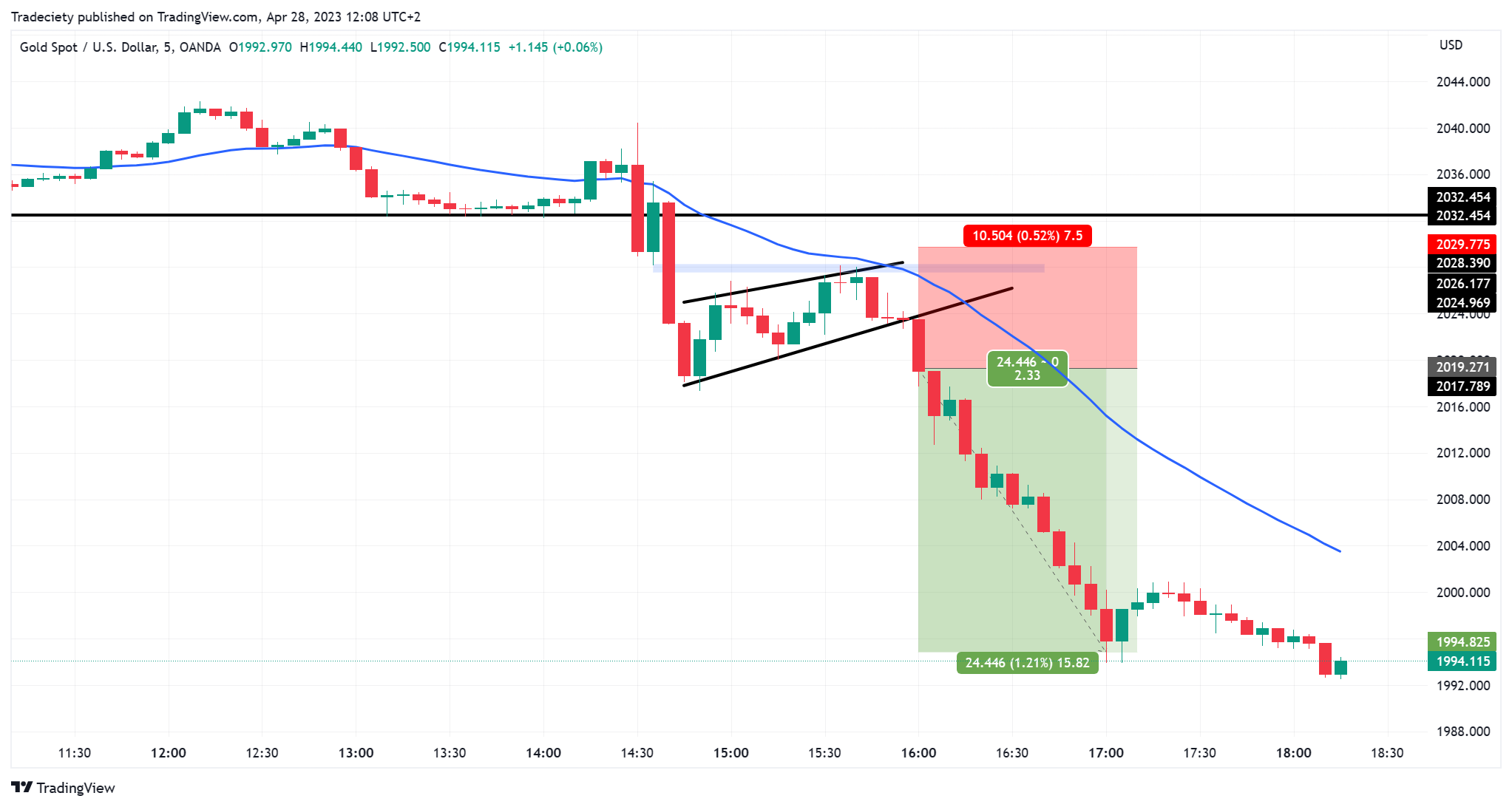
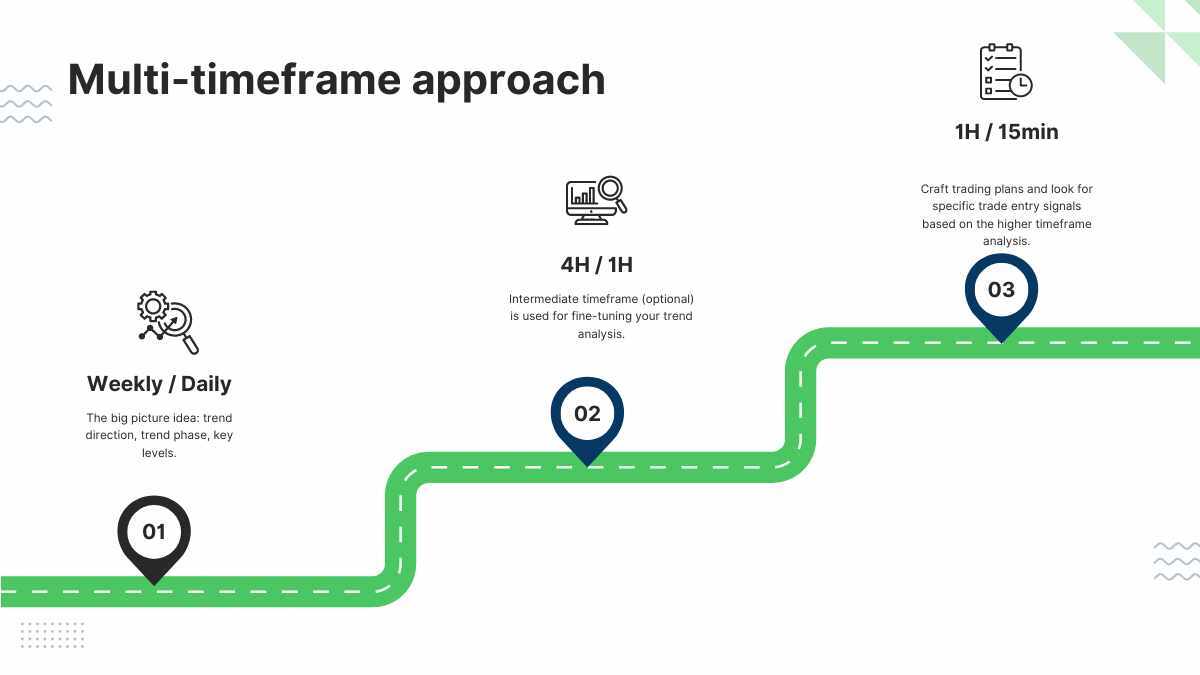
Why Multi-Timeframe Analysis Is Critical in Forex Trading

4
Professional traders rarely trade using one timeframe alone.
Here’s why:
1. Trend Confirmation
A bullish signal on M15 is stronger when H1 and H4 are also bullish.
2. Reduced False Signals
Counter-trend trades often fail. MTF helps filter them.
3. Better Entry Timing
Lower timeframe = entry precision
Higher timeframe = trend direction
The MTF MACD Forex Indicator for MT4 Free Download combines all of this automatically.
Key Features of the MTF MACD Forex Indicator for MT4 Free Download
Here are the most powerful features:
✔ Displays Higher Timeframe MACD Data
You can select H1, H4, D1, etc., even if you’re trading on M5 or M15.
✔ Customizable Settings
- Fast EMA
- Slow EMA
- Signal period
- Color options
✔ Histogram or Line Mode
Choose how you want to view momentum.
✔ Real-Time Updates
Signals update instantly with each new candle.
✔ Lightweight & Fast
Does not slow down your MetaTrader 4 terminal.
How to Install MTF MACD Forex Indicator for MT4 Free Download
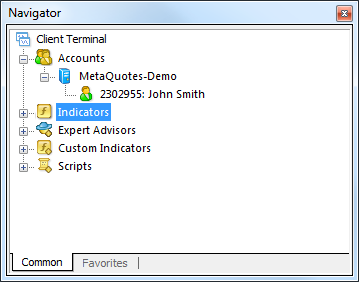
4

Installing the indicator is simple:
Step 1: Download the Indicator File
You’ll receive a .mq4 or .ex4 file.
Step 2: Open MT4
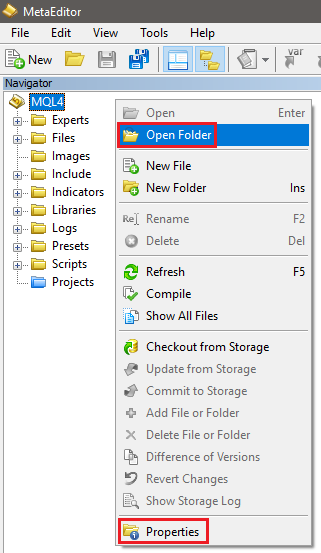
Go to:
File → Open Data Folder
Step 3: Navigate to Indicators Folder
MQL4 → Indicators
Step 4: Paste the File
Place the downloaded file there.
Step 5: Restart MT4
Or refresh the Navigator window.
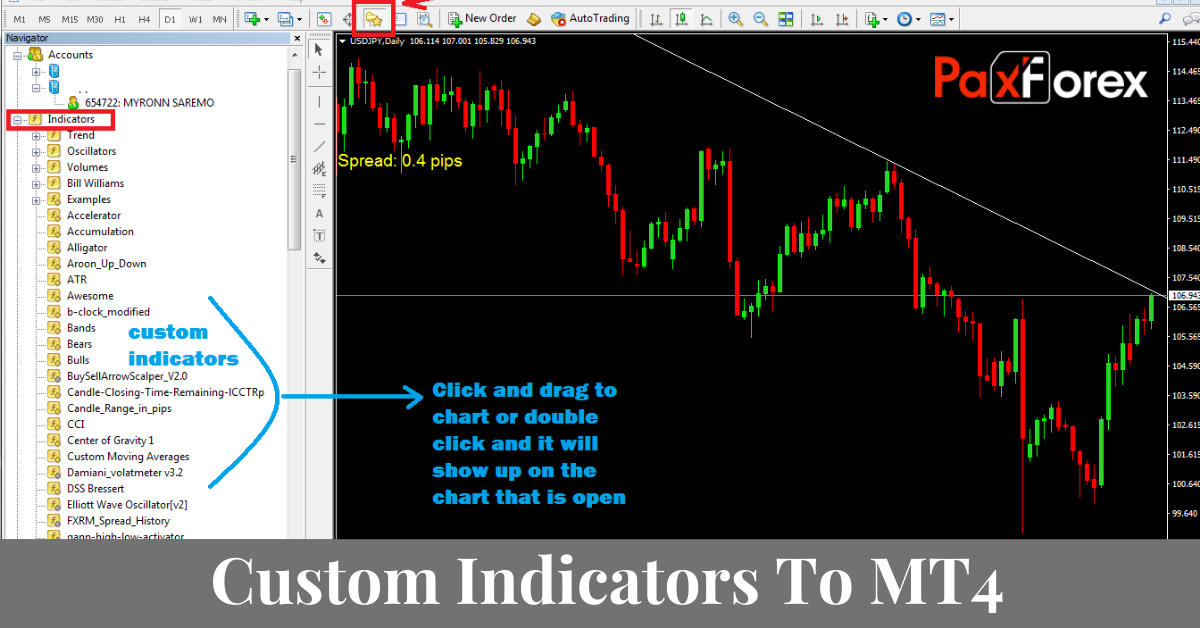
Step 6: Apply to Chart
Drag the indicator onto your desired chart.
That’s it!
Best Trading Strategies Using MTF MACD
Now let’s talk real trading.
Strategy 1: Trend Alignment Strategy
Timeframes:
- Entry: M15
- Confirmation: H1
Rules:
- Enter buy when M15 MACD crosses above signal line
- H1 MACD histogram must be positive
- Stop loss below recent swing low
- Target next resistance
This method increases probability significantly.
Strategy 2: Momentum Breakout Strategy
Use MTF MACD for breakout validation.
Setup:
- Price breaks key resistance
- Lower timeframe MACD crosses up
- Higher timeframe histogram expands positively
This confirms strong bullish momentum.
Strategy 3: Divergence Confirmation
Look for:
- Price makes lower low
- MACD makes higher low (bullish divergence)
- Higher timeframe turns bullish
This setup can signal powerful reversals.

Pros and Cons
✅ Advantages
- Improves signal accuracy
- Filters bad trades
- Saves time
- Great for scalping & swing trading
- Free download available
❌ Disadvantages
- Still lags (like all indicators)
- Needs proper risk management
- Beginners may overcomplicate analysis
Best Timeframes for MTF MACD
It depends on your trading style.
| Trading Style | Entry TF | Confirmation TF |
|---|---|---|
| Scalping | M5 | M15 / H1 |
| Day Trading | M15 | H1 / H4 |
| Swing Trading | H1 | H4 / D1 |
| Position Trading | H4 | D1 / W1 |
Risk Management Tips
Even the best indicator cannot guarantee profits.
Always:
- Risk 1–2% per trade
- Use stop loss
- Avoid over-leveraging
- Trade with trend direction
For deeper understanding of risk principles, you can review educational resources from Babypips.
Common Mistakes Traders Make
❌ Using MTF Without Understanding Trend Structure
❌ Trading Every MACD Cross
❌ Ignoring Market News
❌ Overloading Charts with Indicators
Keep it clean and simple.
Frequently Asked Questions (FAQs)
1. Is the MTF MACD Forex Indicator for MT4 Free Download really free?
Yes. Many developers provide it free for MT4 users.
2. Does it repaint?
Most well-coded versions do not repaint, but always test on demo first.
3. Can beginners use it?
Yes, but basic MACD knowledge is recommended.
4. What is the best timeframe combination?
M15 with H1 is very popular among day traders.
5. Can it work for crypto or stocks?
Yes, as long as you use MetaTrader 4 and your broker supports the asset.
6. Is it better than the standard MACD?
It’s not “better,” but more informative due to multi-timeframe visibility.
Final Thoughts on MTF MACD Forex Indicator for MT4 Free Download
The MTF MACD Forex Indicator for MT4 Free Download is a powerful enhancement to your trading toolkit. It helps confirm trends, improve timing, and reduce false entries. When combined with strong risk management and price action analysis, it becomes a serious edge in the market.
However, remember this golden rule:
No indicator replaces discipline and strategy.
Use it wisely, test it thoroughly, and always trade responsibly.
Most Popular Forex EA

Onix Stratos XAUUSD EA: AI Smart Scalper for MT5
In stock
$0.00 $999.99Price range: $0.00 through $999.99
Elysium Vortex EURCAD EA: AI EURCAD Scalper for MT5
In stock
$0.00 $199.99Price range: $0.00 through $199.99
Equinox Cosmos GBPJPY EA: AI GBPJPY Scalper for MT5
In stock
$0.00 $399.99Price range: $0.00 through $399.99
Apex Quant BTCUSD EA: AI Bitcoin Scalper for MT5
In stock
$0.00 $159.99Price range: $0.00 through $159.99
Zenith Matrix XAUUSD EA: AI Gold Scalper for MT5
In stock
$0.00 $899.99Price range: $0.00 through $899.99
Nexora Manus XAUUSD EA: AI Gold Scalper for MT5
In stock
$0.00 $699.99Price range: $0.00 through $699.99
Mythos Epic XAUUSD EA: AI Gold Scalper for MT5
In stock
$0.00 $849.99Price range: $0.00 through $849.99
Obsidian Aether EURUSD EA: AI Grid Scalper for MT5
In stock
$0.00 $797.99Price range: $0.00 through $797.99
AVA AIGPT5 XAUUSD EA: AI Gold Scalper for MT4
In stock
$0.00 $679.99Price range: $0.00 through $679.99

Golden Deer Holy Grail Indicator (Lifetime Premium)
In stock
Original price was: $109.99.$87.99Current price is: $87.99.
Windows VPS for MT4 & MT5
In stock
$44.99 $359.99Price range: $44.99 through $359.99




 Gold Forex EA