
The Complete MT5 Expert Advisor Setup Guide: Automate Your Forex Trading



You have two choices in Forex trading. You can stare at charts for 12 hours a day, let your emotions dictate your entries, and burn out in six months. Or, you can build a system that trades for you 24/5, executes with zero emotional bias, and compounds your capital while you sleep.
Most traders choose the first option. They fail. Winners choose automation.
If you are reading this, you already know that manual trading is a trap. It trades your time for money, and your time is your only non-renewable resource. To achieve true leverage, you need an Expert Advisor (EA). But buying an EA is only 10% of the battle. The other 90% is the infrastructure, the setup, the risk management, and the optimization.
This is not just another generic “how-to” article. This is the Complete MT5 Expert Advisor Setup Guide. We are going to use a topic cluster approach to break down everything from broker selection and VPS hosting to the exact installation frameworks for the top-performing MT5 AI robots of 2026.
By the end of this guide, you will have a fully automated, institutional-grade trading setup running on your MetaTrader 5 (MT5) platform. Let’s get to work.
The Value Equation of Algorithmic Trading
Before we touch a single setting in MetaTrader 5, you need to understand the math behind why EAs print money while manual traders blow accounts.
Expert’s Value Equation states that value is determined by: Dream Outcome × Perceived Likelihood of Achievement / Time Delay × Effort & Sacrifice.
- Dream Outcome: Consistent monthly ROI without screen time.
- Perceived Likelihood: Verified Myfxbook live accounts (not backtested fantasies).
- Time Delay: Immediate execution, 24/5 market scanning.
- Effort & Sacrifice: Zero. The AI does the heavy lifting.
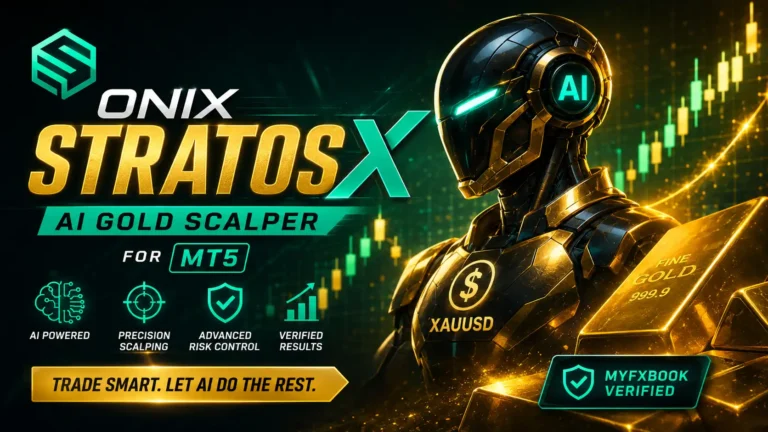
When you deploy a verified MT5 EA like the Onix Stratos XAUUSD EA, you are removing the “Effort & Sacrifice” denominator to near zero. You are no longer a trader; you are a capital allocator.
Phase 1: The Infrastructure (Brokers, Spreads, and VPS)
Your EA is a Ferrari. Your broker and VPS are the road and the fuel. If you put a Ferrari on a dirt road, it doesn’t matter how good the engine is—you will crash. In algorithmic trading, “dirt roads” mean high spreads, slippage, and latency.
1. The VPS Rule (Non-Negotiable)
Do not run your MT5 EA on your home laptop. If your WiFi drops, your power goes out, or Windows decides to force an update while you are in a drawdown, your EA cannot manage the trade. You will lose money.
The Solution: A Virtual Private Server (VPS). A VPS keeps your MT5 terminal online 24/7 in a secure data center located milliseconds away from your broker’s servers. Many top brokers, like Exness, offer a Free VPS if you meet their minimum volume or deposit requirements.
2. Choosing the Right MT5 Broker
For AI scalping and grid systems, you need an ECN or low-spread broker with raw execution. Based on our 2026 benchmarks, here are the top regulated platforms compatible with our MT5 EAs.
| Broker | Regulation | Min. Deposit | Key Offer | Action |
|---|---|---|---|---|
| Exness | FCA, CySEC | $1 | Free VPS, Zero Spread Accounts | Open Account |
| RoboForex | FSC Belize | $10 | Welcome Bonus $30 | Open Account |
| XM | ASIC, CySEC, FCA | $5 | 20% Deposit Bonus | Open Account |
| ICMarkets | Seychelles FSA | $200 | Best Raw Spread / PayPal | Open Account |
Pro Tip: Always open a “Zero Spread” or “Raw” account type. Paying a small commission per lot is mathematically superior to paying a 2-pip spread on an AI scalper that takes 5-pip profits.
Phase 2: Selecting Your Weapon (The Best MT5 EAs of 2026)
Not all EAs are created equal. Most retail EAs use dangerous Martingale strategies that blow accounts during black swan events. At BESTMT4EA.com, we develop AI-driven systems focused on risk management, smart scalping, and verified live performance.
Here is the 2026 ranking of our top MT5 Expert Advisors.
| Rank | Robot Name | Pair | Strategy | Win Rate | Monthly ROI | Max DD |
|---|---|---|---|---|---|---|
| #1 | Onix Stratos XAUUSD EA | XAUUSD | AI Smart Scalping | 85% | 20.8% | 12.9% |
| #2 | Obsidian Aether EURUSD EA | EURUSD | AI Grid Scalping | 89% | 15.88% | 10.27% |
| #3 | Mythos Epic XAUUSD EA | XAUUSD | AI Gold Scalping | 83% | 18.69% | 41.41% |
| #4 | Equinox Cosmos GBPJPY EA | GBPJPY | AI GBPJPY Scalping | 83% | 17.2% | 11.82% |
Deep Dive: Onix Stratos XAUUSD EA (The Gold Standard)
Gold (XAUUSD) is the most volatile and profitable asset in Forex, but it punishes bad risk management. The Onix Stratos XAUUSD EA uses AI Smart Scalping to read order flow and micro-trends. It boasts an 85% win rate with a highly contained 12.9% maximum drawdown. You can verify the live performance directly on Myfxbook.
Deep Dive: Obsidian Aether EURUSD EA (The Consistency King)
If you want lower volatility and steady compounding, the Obsidian Aether EURUSD EA is your weapon. With an 89% win rate and a max drawdown of just 10.27%, it utilizes an intelligent AI Grid system that adapts to market ranging conditions without over-leveraging.
Phase 3: The 5-Step MT5 Installation Framework
You have your broker. You have your VPS. You have your EA file (usually a .ex5 file). Now, we install. Do not skip a single step here. Improper installation is the #1 reason EAs fail to trade.
Step 1: File Placement
- Open your MT5 Terminal.
- Click on File > Open Data Folder.
- Navigate to
MQL5>Experts. - Paste your downloaded EA file (e.g.,
Onix_Stratos_XAUUSD.ex5) into this folder. - Crucial: If your EA came with a “Presets” or “Set” file, paste that into the
MQL5>ProfilesorPresetsfolder, or keep it handy on your desktop to load later.
Step 2: Refresh and Compile
- Go back to your MT5 Terminal.
- Open the Navigator panel on the left (Ctrl+N).
- Right-click on Expert Advisors and select Refresh.
- Your new EA will now appear in the list.
Step 3: Enable Algorithmic Trading
Look at the top toolbar of your MT5 terminal. You will see a button that says Algo Trading. Click it so it turns Green. If it is red, your EA is legally forbidden from placing trades.

Step 4: Chart Setup & Timeframe Alignment
Every EA is optimized for a specific timeframe. If the Equinox Cosmos GBPJPY EA requires the M15 chart, and you drop it on an H1 chart, the algorithm will misread the data.
- Open a clean chart of the required pair (e.g., GBPJPY).
- Set the exact timeframe required by the product page.
- Remove all other indicators. EAs need clean price action data.
Step 5: Drag, Drop, and Configure
- Drag the EA from the Navigator panel onto your chart.
- A settings window will pop up. Go to the Common tab and ensure Allow Algo Trading is checked.
- Go to the Inputs tab. This is where you load your
.setfile or manually adjust your Risk %, Lot Size, and Stop Loss parameters. - Click OK.
The Verification Check: Look at the top right corner of your chart. You should see a small icon (usually a hat or a smiley face). If the icon is blue/green, the EA is active. If it is gray or has an “X”, Algo Trading is disabled. Fix it immediately.
Phase 4: Risk Management & The “Don’t Blow Up” Protocol
Amateurs focus on how much they can make. Professionals focus on how much they can lose. Your EA is a tool; you are the risk manager.
The 1% Rule of Capital Allocation
Never set your EA’s auto-lot risk parameter above 1% to 2% per trade. AI scalpers like the Zenith Matrix XAUUSD EA take multiple trades. If you over-leverage, a standard 20-pip market retracement will trigger a margin call.
Prop Firm Compatibility
Many traders use our EAs to pass Prop Firm challenges (FTMO, MyForexFunds, etc.). Our EAs are fully compatible with prop firm accounts, provided you respect their specific drawdown rules.
- Hard Stop: Set your EA’s internal “Equity Stop Loss” to 4% below the prop firm’s daily drawdown limit. If the firm allows a 5% daily loss, set the EA to halt trading at a 4% loss. This prevents slippage from breaching your account.
- News Filters: Ensure your EA’s built-in news filter is turned ON to avoid trading during high-impact NFP or CPI events, which prop firms often prohibit.
The “Done-For-You” Alternative: Barakah FX Management
Let’s be honest. Reading guides, setting up VPS servers, and monitoring MT5 terminals takes effort. What if you could skip the setup entirely and just collect the profits?
Enter Barakah FX Management.
Barakah is a premium, performance-based Forex account management service. We don’t sell you a signal group. We don’t ask you to send us your money. You keep 100% of your capital in your own regulated broker account.
How Barakah Works (The Grand Slam Offer)
- Open a Supported Broker Account: Exness, RoboForex, XM, or ICMarkets.
- Deposit Minimum $1,000: Your money stays in your name.
- Grant Limited Access: You share ONLY your MT4/MT5 Investor/Trading Password. We get trade execution rights. We have zero access to withdraw your funds.
- We Trade, You Profit: Our institutional AI systems trade XAUUSD and EURUSD 24/5.
The Barakah Performance Snapshot
- Assets Under Management: $230K+ across client accounts.
- Win Rate: 82% (Myfxbook & Live Verified).
- Average Monthly Returns: 5-15% (net of profit share).
- Max Drawdown Limit: Hard 25% automated stop-loss to protect capital.
Transparent Profit Sharing Plans
| Plan | Min Deposit | Profit Split (You Keep) | Ideal For |
|---|---|---|---|
| Starter | $1,000 | 50% | New traders testing copy trading |
| Growth | $5,000 | 60% | Copy trading with confidence |
| Professional | $25,000 | 75% | Serious investors maximizing compounding |
Wealth isn’t built by luck. It’s built by compounding. Start with $1,000, target 10% a month, and let our AI do the work. Join Barakah FX Management via Telegram Today.
FAQ
Are your Forex EAs fully automated?
Yes. Every Expert Advisor sold on BESTMT4EA.com is 100% fully automated. Once installed on MT4 or MT5, the EA monitors the market, executes trades, manages risk, and closes positions automatically without human intervention.

Do I need a VPS to run an MT5 EA?
A VPS (Virtual Private Server) is highly recommended for uninterrupted 24/7 trading. It keeps your MT5 platform online and executing trades even when your personal computer is turned off or loses internet connection. Brokers like Exness offer free VPS services.
Can I run the EA on a Prop Firm Account?
Yes. Many of our Expert Advisors (like Obsidian Aether and Onix Stratos) can be used on prop firm accounts, provided the firm’s rules allow automated trading and news trading. Always review the prop firm’s specific EULA before deploying.
What is the minimum deposit required for your EAs?
The minimum deposit depends on the trading strategy and your risk settings. Using micro-lots or cent accounts (available at RoboForex and Exness), you can start with as little as $100. However, for standard accounts and optimal risk management, we recommend a minimum of $1,000.
How do I receive my EA after purchase?
Licensed products are delivered securely within 6 hours after successful payment via Telegram. You will receive the .ex5 files, installation guides, recommended preset files, and lifetime updates.
Which currency pairs do your MT5 EAs support?
Each AI model is trained on specific assets to ensure maximum accuracy. For example, Mythos Epic is exclusively optimized for XAUUSD (Gold), while Elysium Vortex is built specifically for EURCAD. Supported symbols are strictly enforced for optimal performance.
What if I don’t want to set it up myself?
If you want the results without the technical setup, use our Barakah FX Management service. You keep your funds in your own broker account, grant us trade-only access, and our AI manages your Gold and EURUSD portfolios for a performance-based profit split.
Conclusion: Execution is the Only Metric That Matters
You now possess the complete blueprint. You understand the infrastructure required to eliminate latency. You know how to select a verified, Myfxbook-backed MT5 AI robot. You have the exact 5-step installation framework to ensure your algorithm executes flawlessly.
Information without execution is just entertainment. The Forex market does not pay you for what you know; it pays you for what you implement.
Your Next Steps:
- Secure your Infrastructure: Open a low-spread account with Exness or ICMarkets and set up your VPS.
- Choose your Weapon: Deploy the Onix Stratos XAUUSD EA for aggressive Gold scalping, or the Obsidian Aether for steady EURUSD growth.
- Or, Skip the Work: Let the professionals handle it via Barakah FX Management.
Stop trading your time for pips. Build the system. Let the AI work. Welcome to the top 1% of Forex traders.
Most Popular Forex EA
Onix Stratos XAUUSD EA: AI Smart Scalper for MT5
In stock
$0.00 $999.99Price range: $0.00 through $999.99
Elysium Vortex EURCAD EA: AI EURCAD Scalper for MT5
In stock
$0.00 $199.99Price range: $0.00 through $199.99
Equinox Cosmos GBPJPY EA: AI GBPJPY Scalper for MT5
In stock
$0.00 $399.99Price range: $0.00 through $399.99
Apex Quant BTCUSD EA: AI Bitcoin Scalper for MT5
In stock
$0.00 $159.99Price range: $0.00 through $159.99
Zenith Matrix XAUUSD EA: AI Gold Scalper for MT5
In stock
$0.00 $899.99Price range: $0.00 through $899.99
Nexora Manus XAUUSD EA: AI Gold Scalper for MT5
In stock
$0.00 $699.99Price range: $0.00 through $699.99
Mythos Epic XAUUSD EA: AI Gold Scalper for MT5
In stock
$0.00 $849.99Price range: $0.00 through $849.99
Obsidian Aether EURUSD EA: AI Grid Scalper for MT5
In stock
$0.00 $797.99Price range: $0.00 through $797.99
AVA AIGPT5 XAUUSD EA: AI Gold Scalper for MT4
In stock
$0.00 $679.99Price range: $0.00 through $679.99

Golden Deer Holy Grail Indicator (Lifetime Premium)
In stock
Original price was: $109.99.$87.99Current price is: $87.99.
Windows VPS for MT4 & MT5
In stock
$44.99 $359.99Price range: $44.99 through $359.99




 Gold Forex EA