

10 Powerful Ways to Master How to Backtest Forex Strategy on TradingView Free Account


Knowing how to backtest forex strategy on TradingView free account is one of the smartest ways to sharpen your trading skills without risking a single dollar. Backtesting lets traders simulate real market conditions, understand strategy performance, and build confidence before going live. Even with a free TradingView account, you can run effective manual and semi-automated backtests using built-in tools.
In this guide, you’ll learn everything—from setup to advanced tips—so you can backtest like a pro using only TradingView’s free resources.
Understanding Forex Strategy Backtesting
Backtesting is the process of reviewing how a trading strategy would have performed in the past. Instead of guessing, you use historical market data to verify patterns, entries, and exits.
What Backtesting Means in Trading
Backtesting helps traders avoid emotional decisions and rely on data instead. When executed correctly, it shows how consistent your strategy might be in real markets.
Why Backtesting Matters for Forex Traders
Forex is fast-moving and unpredictable. Solid backtesting can reveal whether your approach can handle volatility, news events, and trend reversals.
Manual vs. Automated Backtesting
- Manual: You scroll through charts and test trades by replaying candles.
- Automated: TradingView’s Pine Script Strategy Tester runs trades automatically.
Free accounts rely mostly on manual techniques, but simple scripts are still supported.
What Is TradingView and How It Supports Backtesting?
TradingView is one of the world’s most popular charting platforms, offering real-time data, scripts, and community tools.
Overview of TradingView Platform
It features powerful charting, indicators, and the famous Pine Script for custom coding.
Core Features for Forex Traders
- Bar Replay
- Indicators & drawing tools
- Automated strategy testing
- Millions of user scripts
Free vs. Pro Account Limitations
Free users can backtest, but:
- Only one active chart
- Limited Bar Replay history
- Limited indicators per chart
Still, you can do complete backtests without paying.
Preparing to Backtest Forex Strategy on TradingView Free Account
Selecting the Right Forex Pairs
Start with popular, liquid pairs like EUR/USD, GBP/USD, or USD/JPY.
Choosing Timeframes
Higher timeframes (H1, H4, D1) work best with free accounts because Bar Replay loads more candles.
Setting Up Indicators and Tools
You can use up to 3 indicators—plenty for SMA, RSI, MACD, or price action strategies.
Step-by-Step Guide on How to Backtest Forex Strategy on TradingView Free Account
This section gives you a clear walkthrough of how to backtest forex strategy on TradingView free account from scratch.
Step 1 – Open the Chart
Search for your desired Forex pair and load the timeframe you want to test.
Step 2 – Apply Your Trading Indicators
Use the “Indicators” tab to apply your chosen tools.

Step 3 – Use Bar Replay Function (Free)
Click the Bar Replay button and select where you want to start.
Note: Free users can’t scroll too far back, but H1+ timeframes offer more history.
Step 4 – Simulate Entries and Exits
Press Play to reveal candles one by one.
Log hypothetical:
- Entry
- Stop loss
- Take profit
Step 5 – Record Your Results Manually
Use a journal or spreadsheet to track:
- Win/loss
- R:R ratio
- Drawdown
- Mistakes
Tips to Maximize Backtesting on TradingView Free Plan
How to Get Around Limited Bar Replay
Switch to higher timeframes to reveal more historical data.
Using Templates to Save Time
Create indicator templates to reset charts fast.
Best Chart Layout Practices
Use color-coded lines, zones, and labels for cleaner analysis.
Using Pine Script for Simple Forex Strategy Testing
Understanding Pine Script Basics
Pine Script allows even beginners to build automated strategies.
Creating Simple Backtest Code
A moving average crossover script can run automated results instantly.
Interpreting Strategy Tester Results
TradingView displays:
- Net profit
- Win rate
- Max drawdown
- Sharpe ratio
Common Mistakes When Backtesting Forex Strategies
Overfitting Strategies
Tweaking your indicators to “fit” past markets can produce unreliable results.
Ignoring Spread and Slippage
Always simulate real spread costs, especially on Forex.
Misinterpreting Market Conditions
Don’t test only trending environments—include ranges, reversals, and quiet sessions.
Practical Example: Backtesting a Simple Moving Average Strategy
Setting Up SMAs
Use SMA 50 and SMA 200 for trend-based trades.
Defining Entry and Exit Rules
- Buy when SMA 50 crosses above SMA 200
- Sell when SMA 50 crosses below
Measuring Performance
Record win rate, drawdown, and profit factor for accuracy.
Advanced Backtesting Techniques for Free Users
Multi-Timeframe Testing Workarounds
Open two browser windows to simulate multi-timeframe analysis.
Using Manual Journals
Tools like Google Sheets help track strategy performance.
Improving Accuracy with External Tools
Backtest results can be exported manually for deeper analysis.
Tools to Use Alongside TradingView for Better Backtesting
- Trading Journals
- Spreadsheets
- Community indicators
A helpful external comparison tool:
https://www.investopedia.com/forex-backtesting-4427704
Advantages of Backtesting on TradingView vs. Other Platforms
TradingView offers:
- Powerful charting
- Cloud sync
- Easy Pine Script coding
- Vast community library
Limitations of Backtesting on Free Accounts
- Limited Bar Replay
- Fewer indicators
- No multi-chart view
But it’s still highly capable for manual testing.
How to Track and Analyze Backtesting Results
Win Rate and Risk-to-Reward
Always aim for at least 1:1.5 R:R.
Expectancy Formula
Shows how much you earn per trade on average.
Drawdown Analysis
Ensures your strategy can survive losing streaks.
FAQs About How to Backtest Forex Strategy on TradingView Free Account
1. Can I use Bar Replay on a free account?
Yes, but with limited historical access.
2. Can I run automated backtests without upgrading?
Yes, using Pine Script strategies.
3. Does TradingView save my backtests?
It stores scripts but not manual trades.
4. What is the best timeframe for backtesting on free plans?
H1 or H4 for deeper history.
5. Is TradingView accurate for Forex backtesting?
Yes, TradingView uses high-quality market data.
6. How many indicators can I use for free?
Up to three at a time.
Conclusion
Learning how to backtest forex strategy on TradingView free account is one of the best ways to improve your trading even without expensive tools. With manual Bar Replay, Pine Script, and strategic journaling, you can build reliable, data-backed strategies that work in real markets.
If you test consistently, track results, and refine your rules, you’ll become a more confident and profitable Forex trader.


Most Popular Forex EA


Apex Quant BTCUSD EA: AI Bitcoin Scalper for MT5
In stock
$0.00 $159.99Price range: $0.00 through $159.99

AVA AIGPT5 XAUUSD EA: AI Gold Scalper for MT4
In stock
$0.00 $679.99Price range: $0.00 through $679.99

Elysium Vortex EURCAD EA: AI EURCAD Scalper for MT5
In stock
$0.00 $199.99Price range: $0.00 through $199.99
Equinox Cosmos GBPJPY EA: AI GBPJPY Scalper for MT5
In stock
$0.00 $199.99Price range: $0.00 through $199.99


Golden Deer Holy Grail Indicator (Lifetime Premium)
324 in stock
Original price was: $1,861.99.$187.99Current price is: $187.99.

Mythos Epic XAUUSD EA: AI Gold Scalper for MT5
In stock
$0.00 $849.99Price range: $0.00 through $849.99

Nexora Manus XAUUSD EA: AI Gold Scalper for MT5
In stock
$0.00 $699.99Price range: $0.00 through $699.99
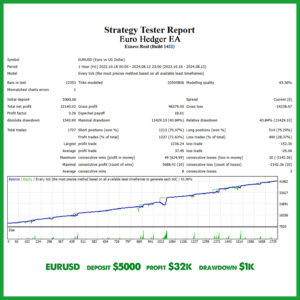
Obsidian Aether EURUSD EA: AI Grid Scalper for MT5
49 in stock
$0.00 $797.99Price range: $0.00 through $797.99
Powerful Forex VPS for MT4 & MT5 – Best Price
182 in stock
$44.99 $359.99Price range: $44.99 through $359.99

Top 2000 Trading Tools for Forex Success (EA & Indicator)
In stock
Original price was: $9,999.99.$0.00Current price is: $0.00.
Zenith Matrix XAUUSD EA: AI Gold Scalper for MT5
In stock
$0.00 $899.99Price range: $0.00 through $899.99