adx strength indicator combined with moving average ea: Powerful Strategy for Smarter Trading


Understanding the Basics of ADX and Moving Averages
Before you trust any automated system, you need to clearly understand its main tools. In this case, the two core building blocks are the ADX strength indicator and moving averages. When you combine them and wrap the logic into an Expert Advisor (EA), you get a rule-based, emotion-free trading system.
What Is the ADX Strength Indicator?
The ADX (Average Directional Index) is a technical indicator that measures trend strength. It doesn’t care whether the market is going up or down; it only tells you how strong the trend is.
- ADX values below 20 usually mean a weak or sideways market.
- ADX above 20–25 suggests a growing trend.
- ADX above 40 often indicates a very strong trend, which sometimes comes before a slowdown.
The ADX is usually calculated with a period of 14, but traders can adjust this value depending on how sensitive they want the indicator to be.
How ADX Measures Trend Strength (Not Direction)
A common mistake is thinking that ADX shows direction. It does not. ADX is often used together with +DI and –DI (Directional Indicators), but in many EAs, we only use the ADX line itself to filter out weak market conditions.
- When ADX is high, your moving average strategy has a better chance of catching strong moves.
- When ADX is low, price tends to whipsaw around moving averages, causing false signals.
This is why combining the ADX strength indicator with moving averages can make your EA smarter and more selective.
Simple, Exponential, and Other Types of Moving Averages
Moving averages (MAs) smooth out price data so you can see the overall direction more clearly. The most common types are:
- Simple Moving Average (SMA) – Average price over a fixed number of periods.
- Exponential Moving Average (EMA) – Gives more weight to recent prices, reacts faster.
- Smoothed / Linear Weighted MAs – Less common, but some traders prefer them.
A basic trend-following idea is:
- Price above a rising MA → potential uptrend
- Price below a falling MA → potential downtrend
Why Traders Combine ADX with Moving Averages
Using moving averages alone can be dangerous in sideways markets. Price can cross above and below repeatedly, causing multiple losing trades. The ADX helps by filtering out weak or non-trending conditions.
So, a typical rule inside an EA might be:
“Only take MA-based buy or sell signals when ADX is above 20 or 25.”
This is the heart of the adx strength indicator combined with moving average ea concept — using ADX to confirm that a trend is worth trading.
Core Concept of adx strength indicator combined with moving average ea
What an EA (Expert Advisor) Does in Trading Platforms
An Expert Advisor (EA) is an automated trading program, often used in platforms like MetaTrader 4 (MT4) or MetaTrader 5 (MT5). It can:
- Open and close trades automatically
- Apply your rules 24/5 without emotion
- Use indicators like ADX and moving averages for decision-making
Instead of manually watching charts, the EA follows your predefined algorithm.
Logic Behind Combining ADX and Moving Averages in an EA
The main idea is simple:
- Moving averages decide the direction of the trade.
- ADX strength indicator decides whether the trend is strong enough to trade.
For example:
- If fast MA > slow MA and ADX > 25 → the EA looks for buy entries.
- If fast MA < slow MA and ADX > 25 → the EA looks for sell entries.
Typical Conditions Used for Buy and Sell Signals
A standard logic for the EA might be:
- Buy when:
- Fast MA crosses above Slow MA
- ADX is above a certain level (e.g., 20 or 25)
- Price is above both MAs
- Sell when:
- Fast MA crosses below Slow MA
- ADX is above the threshold
- Price is below both MAs
This combination helps avoid trading during flat, choppy phases when ADX is low.
Timeframes and Markets Where This EA Works Best
The adx strength indicator combined with moving average ea usually performs better on:
- Higher timeframes like H1, H4, or Daily
- Trending pairs such as major Forex pairs, strong stocks, or indices
Lower timeframes (like M1 or M5) can be noisy and may require tighter filters and spreads.
Setting Up Your ADX and Moving Average Parameters
Choosing the ADX Period and Threshold (20, 25, or 30?)
The default ADX period is often 14, which offers a good balance. However:
- A shorter period (e.g., 7 or 10) makes ADX more sensitive but can create more false signals.
- A longer period (e.g., 20 or 28) smooths the line but reacts slower.
For thresholds:
- ADX > 20 = mild trend
- ADX > 25 = stronger trend
- ADX > 30 = only the strongest trends
Many traders prefer ADX > 25 in their EA as a practical starting point.
Selecting Moving Average Types and Lengths (Fast vs Slow)
Common MA combinations include:
- 9 EMA and 21 EMA
- 10 SMA and 50 SMA
- 20 EMA and 50 EMA
The fast MA reacts quicker, while the slow MA represents the overall trend. The EA watches for crossovers or for price staying above/below these averages.
Fine-Tuning Inputs for Different Market Conditions
No single setting works for every pair or timeframe. You can:

- Use shorter MAs for scalping or intraday trading
- Use longer MAs for swing trading
- Adjust ADX threshold higher if a pair is very volatile
Backtesting and optimization (in a safe way) will help refine your specific setup.
Trading Rules for adx strength indicator combined with moving average ea
Buy Entry Rules: Trend Direction + ADX Confirmation
A possible buy rule set:
- Fast MA crosses above Slow MA.
- ADX (14) closes above 25.
- Price closes above both MAs.
- No open trade already in the same direction.
The EA then places a buy order with a predefined lot size and stop loss.
Sell Entry Rules: Reversals and Downtrend Confirmation
Sell rules can mirror the buy:
- Fast MA crosses below Slow MA.
- ADX (14) above 25.
- Price closes below both MAs.
- No open sell trade already running.
This keeps the EA aligned with strong downtrends.
Exit Rules: Take Profit, Stop Loss, and Trailing Stops
Your EA can exit trades using:
- Fixed Take Profit/Stop Loss (e.g., 50 pips TP, 30 pips SL)
- ATR-based stops, where the EA places SL a multiple of Average True Range away
- Trailing stop, which locks in profit as the trade moves in your favor
Good exits are just as important as good entries.
Filters to Avoid Choppy, Sideways Markets
To reduce whipsaws, you can add filters:
- Avoid trading when ADX is below 20 or 25.
- Avoid trading during major news releases.
- Check higher timeframe trend (e.g., only buy on M15 if H1 trend is also up).
These filters can be coded into the adx strength indicator combined with moving average ea or used manually.
Risk Management Inside the EA
Position Sizing: Fixed Lot vs Percentage of Equity
You can set your EA to use:
- Fixed lot size (e.g., 0.01 lots per trade)
- Risk percentage, like 1–2% of account per trade
- Dynamic sizing based on volatility
Risk percentage is generally safer, especially on changing account sizes.
Using Stop Loss Based on ATR or Recent Swing Points
Two popular methods:
- ATR-based SL – e.g., 1.5 × ATR(14) away from entry
- Swing-based SL – below/above the last swing low/high
These adjust naturally to market volatility.
Drawdown Control and Maximum Open Trades
Good EAs let you set:
- Max number of open trades
- Max daily loss or max drawdown
- Stop trading after a streak of losses
These protections keep your account from blowing up during rough periods.
Backtesting adx strength indicator combined with moving average ea
How to Properly Backtest on MT4/MT5 or Other Platforms
Backtesting means running your EA on historical data to see how it would have performed. In MT4/MT5, you can use the Strategy Tester to:
- Choose symbol and timeframe
- Load your EA
- Select date range and model (e.g., “Every tick”)
This step shows whether your strategy has potential.
Choosing Quality Historical Data and Spreads
To get realistic results:
- Use high-quality tick data when possible
- Adjust spread to match your broker’s average
- Include commission if your broker charges it
Poor-quality data can mislead you into thinking the EA is better than it really is.
Key Performance Metrics: Win Rate, Profit Factor, and DD
When reviewing results, look at:
- Win rate – percentage of winning trades
- Profit factor – total profit / total loss (above 1.3–1.5 is a decent start)
- Max drawdown (DD) – largest peak-to-trough loss on the account
A stable EA with moderate returns and low drawdown is usually better than one with extreme gains and massive risk.
Optimization vs Overfitting: Getting Realistic Results
Safe Parameter Optimization Techniques
Optimization means testing many settings (MA lengths, ADX thresholds, etc.) to find better performance. To do it safely:
- Optimize on one data period (in-sample)
- Validate on a different period (out-of-sample)
- Avoid changing too many parameters at once
Walk-Forward Testing and Out-of-Sample Data
Walk-forward testing checks how your EA behaves when conditions change. You:
- Optimize on a block of data.
- Run forward on the next block without changes.
- Repeat several times.
This gives a more realistic view of how your adx strength indicator combined with moving average ea might behave in the future.
Recognizing Signs of an Over-Optimized EA
Signs include:
- Very high profit on backtest but poor live performance
- Extremely precise parameters (e.g., ADX = 23, MA = 37, etc.)
- Profit heavily concentrated in a short time window
If an EA looks “too perfect” in backtests, it might be overfitted.
Live Trading with ADX and Moving Average EA
VPS, Broker Choice, and Execution Speed
For stable EA performance, you may need:
- A VPS (Virtual Private Server) to keep your platform running 24/7
- A low-spread, reliable broker
- Fast and stable connection for minimal slippage
You can learn more about EA hosting and VPS solutions from reputable trading education sites like BabyPips or broker educational sections.
Monitoring EA Performance in Real Time
Even though the EA is automated, you should still:
- Check daily/weekly performance
- Compare live results to backtest expectations
- Watch for abnormal behavior (e.g., too many trades, no trades at all, or unusual losses)
When and How to Pause or Adjust the EA
It may be wise to:
- Pause the EA during high-impact news (NFP, rate decisions)
- Reduce risk during extreme volatility
- Re-optimize settings if the market structure has clearly changed
Automation doesn’t mean “set and forget forever.”
Common Mistakes When Using adx strength indicator combined with moving average ea
Relying 100% on Automation Without Supervision
Many traders simply plug in an EA and walk away. That’s risky. Markets evolve, spreads change, and brokers adjust conditions. You should always monitor.
Using the Same Settings on All Pairs and Timeframes
What works on EURUSD H1 may fail on GBPJPY M15. Each instrument has its own behavior. Test and adjust accordingly.
Ignoring News Events and Sudden Volatility
Even the best ADX + MA system can suffer during major news releases, flash crashes, or unexpected geopolitical events. Having a “news filter” or manual control helps.
Practical Tips to Improve Your ADX + Moving Average Strategy
Combining ADX with Price Action or Support/Resistance
For more robust signals, you can add:
- Key support/resistance levels
- Candlestick patterns (e.g., pin bars, engulfing bars)
- Breakouts from ranges or consolidation zones
This can be coded into the EA or used as a discretionary overlay.
Using Multi-Timeframe Confirmation
You can require:
- ADX + MA trend alignment on a higher timeframe (e.g., H4)
- Entries on a lower timeframe (e.g., M30 or H1)
This multi-timeframe approach filters out weak setups.
Keeping a Trading Journal for Your EA
Record:
- Settings used
- Pairs traded
- Timeframes
- Monthly performance, drawdown, and comments
Over time, this journal helps you understand how the adx strength indicator combined with moving average ea behaves in different environments.
Pros and Cons of adx strength indicator combined with moving average ea
Main Advantages of This EA Setup
- Trades only when trends are strong, thanks to ADX filter
- Removes emotional decision-making
- Can run on multiple pairs and timeframes
- Flexible parameters to suit different styles
Limitations You Must Understand Before Using It
- Still vulnerable to sudden reversals and news spikes
- May miss early parts of a move while waiting for ADX confirmation
- Requires regular monitoring, backtesting, and updates
- No EA can guarantee profit; losses are always possible
For more background on ADX and moving averages, you can also explore educational resources on well-known sites like Investopedia.
FAQs About adx strength indicator combined with moving average ea
1. Is this EA suitable for beginners?
Yes, it can be suitable for beginners, as the logic is clear and rule-based. However, you should first use it on a demo account, understand each parameter, and practice basic risk management.
2. What is the best ADX setting for this EA?
There is no single “best” setting, but a common starting point is ADX(14) with a threshold of 25. You can adjust based on backtesting results for your chosen pair and timeframe.
3. Can I use this EA on crypto or indices?
Yes, in many platforms you can run the EA on crypto pairs and indices, but you must account for:
- Different volatility
- Wider spreads
- Market opening hours and gaps (for indices)
Always backtest separately before going live.
4. How much capital do I need to start?
That depends on:
- Your broker’s minimum lot size
- The risk per trade (e.g., 1–2% of account)
- The average stop loss in pips
Even with a small account, focus on percentage-based risk, not just dollar amounts.
5. Does this EA work during news events?
The EA can still trade during news, but that doesn’t mean it’s wise. Spreads can widen and slippage may increase. Many traders choose to pause the EA before major news or add a news filter.
6. Can I run multiple EAs on the same account?
Yes, but you need to:
- Watch total risk exposure
- Avoid conflicting strategies on the same pair and timeframe
- Ensure your margin level stays healthy
It’s often smarter to test one EA at a time before combining them.
Conclusion: Is adx strength indicator combined with moving average ea Worth Using?
The adx strength indicator combined with moving average ea can be a powerful tool for traders who like trend-following, rule-based systems. By letting moving averages define direction and ADX confirm trend strength, you filter out many weak trades that occur in choppy markets.
However, like any EA, it’s not magic. You still need:
- Solid risk management
- Careful backtesting and forward testing
- Ongoing monitoring and realistic expectations
Use it as a structured framework, not a guaranteed money machine. With patience, discipline, and smart adjustment, this combination can become a valuable part of your automated trading toolbox.




Apex Quant EA: AI Bitcoin Scalper for MT5
In stock
$0.00 $999.99Price range: $0.00 through $999.99

AVA AIGPT5 EA: AI Gold Scalper for MT4
In stock
$0.00 $679.99Price range: $0.00 through $679.99

Equinox Cosmos EA: AI GBPJPY Scalper for MT5
In stock
$0.00 $599.99Price range: $0.00 through $599.99


Golden Deer Holy Grail Indicator (Lifetime Premium)
324 in stock
Original price was: $1,861.99.$187.99Current price is: $187.99.

Mythos Epic EA: AI Gold Scalper for MT5
In stock
$0.00 $849.99Price range: $0.00 through $849.99

Nexora Manus EA: AI Gold Scalper for MT5
In stock
$0.00 $499.99Price range: $0.00 through $499.99
Powerful Forex VPS for MT4 & MT5 – Best Price
182 in stock
$44.99 $359.99Price range: $44.99 through $359.99

Top 2000 Trading Tools for Forex Success (EA & Indicator)
In stock
Original price was: $9,999.99.$0.00Current price is: $0.00.
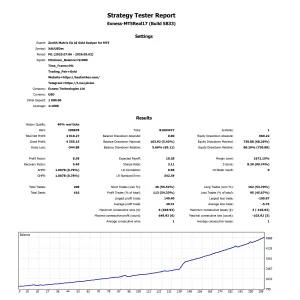
Zenith Matrix EA: AI Gold Scalper for MT5
In stock
$0.00 $899.99Price range: $0.00 through $899.99