

Monitor MT4 Robot Performance: 11 Tracking Methods



Monitoring the performance of MT4 robots (Expert Advisors) is one of the smartest habits any Forex trader can develop. Whether you’re using a paid EA, a custom-built bot, or a free strategy, understanding how your robot behaves in real market conditions is essential. In this guide, you’ll learn how to monitor performance of MT4 robots effectively using metrics, tools, and professional tracking methods.
Understanding the Basics of MT4 Robot Performance Monitoring
Why Tracking MT4 Expert Advisors Matters
MT4 robots operate based on coded rules. But even the best EA can fail if you don’t track how it reacts to spread changes, volatility spikes, news events, and broker execution delays. Monitoring ensures you catch problems early and avoid unnecessary losses.
Key Metrics Every Trader Must Watch
Profit Factor
Shows how much your robot earns relative to losses. A profit factor above 1.5 is generally acceptable.
Drawdown Levels
Measures how much your balance drops during losing periods. Lower drawdown means safer trading.
Win Rate & Trade Frequency
These reveal whether your robot is performing consistently or showing unusual patterns.
Setting Up MT4 for Accurate Performance Tracking
Using Built-In MT4 Reporting Features
MT4 provides automated reports that summarize total profit, drawdown, and trade details. Exporting these helps you track long-term changes.
Configuring Statement Exports for Analysis
You can export performance statements to Excel or analytics software to detect trends and robot weaknesses faster.
How to Monitor Performance of MT4 Robots Using Trade History Tools
Tracking Closed vs Open Trades
Closed trades show historical performance, while open trades reveal real-time risk exposure.
Identifying Slippage, Spread, and Execution Delays
Poor execution can destroy an EA’s expected performance. Monitoring these helps you decide if a broker change is needed.
Real-Time Monitoring Techniques for MT4 Robots
Leveraging MT4 Alerts & Notifications
Set alerts for:

- Trade openings
- Drawdown thresholds
- EA errors
Using VPS for Stable Robot Monitoring
A VPS ensures your robot runs 24/7 without interruptions, improving consistency.
Advanced Tools to Monitor MT4 Robot Performance
Myfxbook Integration
Myfxbook allows automated analytics to track your EA performance visually.
🔗 https://www.myfxbook.com (reputable Forex analytics platform)
FX Blue Analytics
Provides trade breakdowns, risk metrics, and real-time performance insights.
Third-Party Trade Journaling Tools
Tools like Edgewonk help traders evaluate emotional and strategic elements.
Deep-Dive Into MT4 Robot Performance Metrics
Understanding Equity Curves
A smooth equity curve means stable growth. A jagged one signals volatility or poor risk management.
Analyzing Risk-to-Reward Ratios
Robots with high R:R tend to be safer long-term.
Monitoring Lot Size Adjustments & Money Management
EAs that use martingale or grid strategies must be watched closely.
Common Issues When Monitoring MT4 Robots
Over-Optimization & Curve Fitting
Robots that look perfect in backtests often fail in real markets.
Broker Conditions Affecting Robot Results
Spread, commission, and liquidity all affect EA performance differently.
How to Troubleshoot Declining Robot Performance
Checking Market Condition Changes
Market volatility and trends shift often. Robots optimized for trending markets may fail in ranging conditions.
Identifying Coding Errors or Logic Failures
Logs inside MT4 often reveal EA errors or outdated logic.
How Often Should You Monitor MT4 Robots?
Daily Tasks
- Check open trades
- Review drawdown
- Verify EA is running correctly
Weekly Checks
- Analyze performance metrics
- Confirm VPS uptime
Monthly Performance Reviews
- Compare results with long-term goals
- Adjust risk settings if needed
Best Practices to Keep MT4 Robots Performing Consistently
Updating Strategies Safely
Never revise strategy settings during open trades.
Maintaining a Clean Trading Environment
Remove unused indicators, EAs, and charts to reduce MT4 load.
❓ FAQs About How to Monitor Performance of MT4 Robots
1. What’s the easiest way to monitor MT4 robot performance?
Using Myfxbook or FX Blue provides automated tracking with visual charts.
2. How often should I evaluate my EA?
Daily quick checks and weekly deep reviews work best.
3. Can MT4 robots fail unexpectedly?
Yes—due to market changes, coding errors, or connection losses.
4. What’s the minimum data needed to judge performance?
At least 30–50 trades for reliable assessment.
5. Do brokers affect robot performance?
Absolutely. Execution speed, spreads, and slippage matter.
6. Should I monitor backtests or live data?
Live data is more realistic, but backtests help with strategy evaluation.
Conclusion
Learning how to monitor performance of MT4 robots is crucial for maximizing profitability and reducing trading risks. With proper tools, metrics, and consistent reviews, you can ensure your robots operate efficiently and adapt to changing markets. Monitoring isn’t just a task—it’s the backbone of successful automated trading.


Most Popular Forex EA


Apex Quant BTCUSD EA: AI Bitcoin Scalper for MT5
In stock
$0.00 $159.99Price range: $0.00 through $159.99

AVA AIGPT5 XAUUSD EA: AI Gold Scalper for MT4
In stock
$0.00 $679.99Price range: $0.00 through $679.99

Elysium Vortex EURCAD EA: AI EURCAD Scalper for MT5
In stock
$0.00 $199.99Price range: $0.00 through $199.99
Equinox Cosmos GBPJPY EA: AI GBPJPY Scalper for MT5
In stock
$0.00 $199.99Price range: $0.00 through $199.99


Golden Deer Holy Grail Indicator (Lifetime Premium)
324 in stock
Original price was: $1,861.99.$187.99Current price is: $187.99.

Mythos Epic XAUUSD EA: AI Gold Scalper for MT5
In stock
$0.00 $849.99Price range: $0.00 through $849.99

Nexora Manus XAUUSD EA: AI Gold Scalper for MT5
In stock
$0.00 $699.99Price range: $0.00 through $699.99
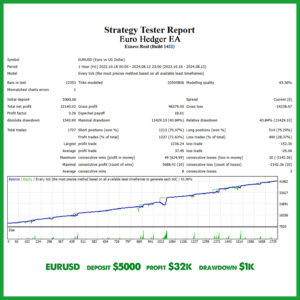
Obsidian Aether EURUSD EA: AI Grid Scalper for MT5
49 in stock
$0.00 $797.99Price range: $0.00 through $797.99
Powerful Forex VPS for MT4 & MT5 – Best Price
182 in stock
$44.99 $359.99Price range: $44.99 through $359.99

Top 2000 Trading Tools for Forex Success (EA & Indicator)
In stock
Original price was: $9,999.99.$0.00Current price is: $0.00.
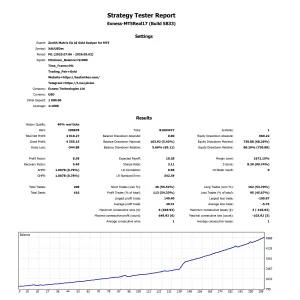
Zenith Matrix XAUUSD EA: AI Gold Scalper for MT5
In stock
$0.00 $899.99Price range: $0.00 through $899.99