

Breakout Box Indicator MT4: London Session Trading


Understanding the Breakout Box Indicator MT4 London Session
The breakout box indicator MT4 London session is one of the most popular tools used by Forex traders to capitalize on the sharp movements that occur when the London market opens. Since the London session is known for high liquidity and strong volatility, traders often rely on breakout tools to identify early market direction.
What Is a Breakout Box Indicator?
A breakout box indicator automatically draws a rectangular zone—usually covering a specific period—highlighting price highs and lows before volatility increases. When price breaks out of this box, traders look for potential continuation moves.
How MT4 Uses Breakout Boxes
MetaTrader 4 (MT4) allows custom indicators that automatically map key price zones. A breakout box indicator on MT4:
- Highlights consolidation before a breakout
- Marks breakout levels
- Helps traders visualize session ranges
Why the London Session Matters in Forex Trading
The London session overlaps with the Asian close and the early New York market. Because of this:
- Spreads tighten
- Trading volume increases
- Volatility spikes
- Breakouts become more reliable
This is why the breakout box indicator MT4 London session is so effective.
Key Components of the Breakout Box Indicator MT4 London Session
Session Time Settings and Zones
The indicator uses pre-market price ranges to build the breakout box. For example:
| Session | Common Time (GMT) |
|---|---|
| Asian Range | 00:00–03:00 |
| London Open | 08:00 |
| London Breakout Window | 08:00–10:00 |
High-Liquidity Price Ranges
Before the London session opens, the market typically moves sideways. This creates a tight range that becomes ideal for breakouts.
Visual Features of MT4 Breakout Boxes
Most indicators allow customization of:
- Box colors
- Box border thickness
- Session labels
- Breakout alerts
How the Breakout Box Indicator MT4 London Session Works
Identifying Support and Resistance Zones
The indicator marks the highest and lowest prices of a selected time period. These levels become:
- Resistance at the top of the box
- Support at the bottom
Breakout Confirmation Principles
To reduce false signals, traders often look for:
- Candle close outside the box
- Increased volume
- Retest and continuation
Avoiding False Breakouts
False breakouts commonly happen around:
- Low-volume times
- News announcements
- Market indecision
Combining the indicator with additional tools helps confirm direction.

Best Strategies for Using Breakout Box Indicator MT4 London Session
London Open Breakout Strategy
This is the most widely used method:
- Identify range from 03:00–08:00 GMT
- Place buy/sell stops outside the box
- Wait for confirmation
- Manage trades using trailing stops
This strategy works best in trending markets.
Range Breakout Method
When the range is extremely tight, breakouts tend to be explosive. Traders look for:
- Tight consolidation
- Strong breakout candle
- Follow-through momentum
Retest Entry Strategy
More conservative traders wait for:
- Breakout
- Price retracement
- Entry at the retest level
Stop-Loss & Take-Profit Placement
Stops are often placed:
- Inside the box
- Below the breakout candle
Take-profit targets may include:
- 1:2 or 1:3 risk-to-reward
- Next support/resistance level
Setting Up the Breakout Box Indicator on MT4
Downloading and Installing the Indicator
MT4 uses .ex4 or .mq4 files. Installation steps:
- Open MT4
- Click File → Open Data Folder
- Navigate to MQL4 → Indicators
- Paste the file and restart MT4
Configuring London Session Time Zones
Always adjust for:
- Broker time
- Daylight savings changes
- Market open shifts
Adjusting Box Size and Colors
Customization helps traders visually interpret the breakout zones.
Advantages of the Breakout Box Indicator MT4 London Session
Helps Traders Capture Early Volatility
London creates explosive movements—this indicator prepares you for them.
Improves Entry Timing and Precision
Clear visual boxes help refine entries.
Simplifies Market Structure Analysis
The indicator gives a simple view of consolidation and breakout phases.
Limitations and Common Challenges
False Breakouts in Low Liquidity
Asian session lows may mislead traders before London opens.
Trading During News Events
Major announcements can cause erratic movements.
Time Zone Conversion Errors
Misaligned session boxes can distort data.
Tips to Maximize Results with Breakout Box Indicator MT4 London Session
Combine with Moving Averages
MA confirmations help filter bad trades.
Add Volume Indicators
Volume spikes strengthen breakout reliability.
Test on Demo Before Live Trading
Always refine your strategy risk-free.
Frequently Asked Questions
1. What is the breakout box indicator MT4 London session used for?
It highlights pre-London price ranges and helps traders catch breakouts.
2. Is this strategy suitable for beginners?
Yes, especially because of its visual simplicity.
3. Which currency pairs work best?
EURUSD, GBPUSD, GBPJPY, and Gold.
4. Does the indicator guarantee profitable trades?
No indicator guarantees profits—it improves probabilities.
5. Should I trade every breakout?
No. Wait for confirmation signals.
6. Where can I download a reliable breakout box indicator?
Popular forex communities like ForexFactory offer trustworthy versions.
Conclusion
The breakout box indicator MT4 London session is one of the most powerful tools for identifying opportunities during the high-volatility London market. When combined with proper confirmation tools, smart risk management, and disciplined execution, traders can capture strong moves consistently and confidently.


Most Popular Forex EA


Apex Quant BTCUSD EA: AI Bitcoin Scalper for MT5
In stock
$0.00 $159.99Price range: $0.00 through $159.99

AVA AIGPT5 XAUUSD EA: AI Gold Scalper for MT4
In stock
$0.00 $679.99Price range: $0.00 through $679.99

Elysium Vortex EURCAD EA: AI EURCAD Scalper for MT5
In stock
$0.00 $199.99Price range: $0.00 through $199.99
Equinox Cosmos GBPJPY EA: AI GBPJPY Scalper for MT5
In stock
$0.00 $199.99Price range: $0.00 through $199.99


Golden Deer Holy Grail Indicator (Lifetime Premium)
324 in stock
Original price was: $1,861.99.$187.99Current price is: $187.99.

Mythos Epic XAUUSD EA: AI Gold Scalper for MT5
In stock
$0.00 $849.99Price range: $0.00 through $849.99

Nexora Manus XAUUSD EA: AI Gold Scalper for MT5
In stock
$0.00 $699.99Price range: $0.00 through $699.99
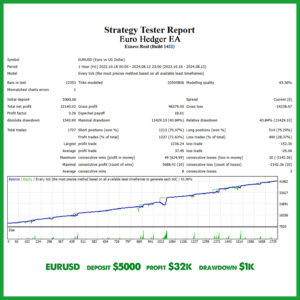
Obsidian Aether EURUSD EA: AI Grid Scalper for MT5
49 in stock
$0.00 $797.99Price range: $0.00 through $797.99
Powerful Forex VPS for MT4 & MT5 – Best Price
182 in stock
$44.99 $359.99Price range: $44.99 through $359.99

Top 2000 Trading Tools for Forex Success (EA & Indicator)
In stock
Original price was: $9,999.99.$0.00Current price is: $0.00.
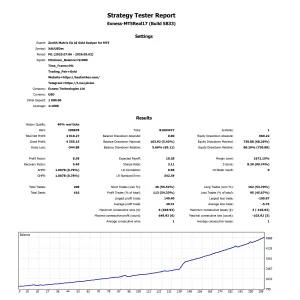
Zenith Matrix XAUUSD EA: AI Gold Scalper for MT5
In stock
$0.00 $899.99Price range: $0.00 through $899.99