

Best Free MT4 EA Performance Monitoring Tools


Free Tools for MT4 EA Performance Monitoring: Top 10 Powerful Solutions to Track & Optimize Results
Monitoring how your expert advisor performs is one of the most important steps in building a profitable trading system. With so many traders searching for free tools for MT4 EA performance monitoring, it’s clear that traders want reliable insights without paying for expensive analytics platforms. The good news? There are several high-quality free solutions that help you track drawdown, win rate, lot size behavior, risk-reward ratios, and long-term EA consistency—all without spending a cent.
In this guide, you’ll discover the most powerful and effective free tools that help you monitor every detail of your MT4 EA. You’ll learn how they work, how to set them up, and why proper monitoring is essential for improving trading results. Let’s dive in!
Understanding MT4 EA Performance Monitoring
What Is MT4 EA Performance Tracking?
MT4 EA performance tracking refers to the process of measuring how your expert advisor behaves under real market conditions. This includes evaluating trade outcomes, tracking statistics, and identifying patterns that reveal strengths and weaknesses.
Why Performance Monitoring Matters for EA Traders
Even the best EAs can fail if they’re not monitored properly. Markets evolve, spreads change, and brokers adjust conditions over time. Monitoring prevents unexpected losses by providing insights into:
- Risk levels
- Profitability
- Behavior under market volatility
- Long-term consistency
Key Metrics Every Trader Should Monitor
Effective EA monitoring always includes:
- Drawdown levels
- Profit factor
- Expected payoff
- Win/loss ratio
- Equity vs. balance curve
- Lot size behavior
- Slippage & execution speed
Benefits of Using Free Tools for MT4 EA Performance Monitoring
Cost Savings & Accessibility
Free tools make it easy for beginner and professional traders alike to collect detailed data without paying for costly subscriptions.
Real-Time Alerts & Automated Insights
Most free monitoring platforms offer instant notifications for margin levels, unusual EA behavior, or sharp drawdowns.
Improved Strategy Optimization
With historical and real-time reports, traders can optimize EAs more effectively and avoid repeating mistakes.
Top Free Tools for MT4 EA Performance Monitoring
1. Myfxbook AutoTrade Monitoring
Myfxbook offers one of the most complete free analytics dashboards for tracking EA performance.
Features:
- Automated reporting
- Equity graph analysis
- Risk breakdown
- Custom notifications
Who Should Use It?
Ideal for traders who want detailed, long-term reports and public or private analytics sharing.
2. FX Blue Account Analytics
FX Blue is another excellent free tool with more customization options than most paid platforms.
Key Benefits:
- Advanced trade statistics
- Customizable performance dashboards
- Magic number filtering
- Exportable reports
It’s perfect for traders running multiple EAs simultaneously.

3. MT4 Trading Journal Plugins
There are several free journaling tools that connect directly to MT4 to log trades automatically.
Benefits:
- Emotional-free logging
- Screenshot tracking
- EA behavior evaluation
- Daily, weekly, and monthly summaries
A trading journal is essential for understanding why and how trades occur.
4. Quant Analyzer Lite
Although the full version is paid, the free version includes powerful analytics.
Features:
- Portfolio reports
- Monte Carlo simulation
- Profitability heatmaps
This tool helps traders understand EA performance across different conditions.
5. MQL5 Signals Monitoring Dashboard
MQL5 offers free signal performance dashboards that also help EA traders compare strategies.
Uses:
- Tracking signal reliability
- Studying EA performance patterns
- Comparing live vs. historical results
How to Choose the Best Free Tools for MT4 EA Performance Monitoring
Compatibility & Data Accuracy
Always ensure the tool works smoothly with MT4 and reports metrics correctly.
Ease of Use & Reporting Quality
A tool should provide clear, digestible analytics for beginners and experts.
Security & Data Privacy
Stick to reputable platforms that protect trading account information.
Step-by-Step Guide: Setting Up Your MT4 EA Monitoring System
1. Connect MT4 to Analytics Platforms
Most platforms require adding a publisher URL or installing an EA tracking script.
2. Create Automated Reports
Configure daily or weekly reports for better decision-making.
3. Set Alerts for Drawdown & Equity Drops
This prevents unexpected losses and keeps your EA under control.
Common Mistakes Traders Make When Monitoring EA Performance
Overlooking Hidden Drawdowns
Balance charts can be misleading—equity curves reveal the full story.
Relying Only on Short-Term Data
EA performance should always be evaluated over at least 3–6 months.
Ignoring Spread, Slippage & Broker Differences
These factors can dramatically affect EA results.
Advanced Tips for Maximizing MT4 EA Performance Monitoring
Run EAs on a VPS
This ensures stable performance tracking and uninterrupted operation.
Use Multiple Tools for Cross-Verification
Never rely on a single analytics platform.
Compare Backtesting vs. Live Performance
This shows how well your EA adapts to real conditions.
FAQs About Free Tools for MT4 EA Performance Monitoring
1. Are free monitoring tools reliable enough for serious traders?
Yes. Many professionals use Myfxbook and FX Blue because they are accurate and widely trusted.
2. Can I monitor multiple EAs at once?
Absolutely. Tools like FX Blue allow filtering by magic number.
3. Do these tools affect EA performance?
No. They simply read account data.
4. Which tool is best for beginners?
Myfxbook is the easiest for new traders.
5. Do I need a VPS to monitor EA performance?
A VPS is recommended but not required.
6. Are there any risks in connecting MT4 to external platforms?
Stick to reputable companies to ensure data safety.
Conclusion
Using free tools for MT4 EA performance monitoring is one of the smartest ways to improve your trading success without increasing costs. These tools help you measure risk, track profits, compare historical vs. live performance, and make better trading decisions. Whether you’re a beginner or expert trader, integrating monitoring tools into your workflow will help you grow consistently and confidently.


Most Popular Forex EA


Apex Quant BTCUSD EA: AI Bitcoin Scalper for MT5
In stock
$0.00 $999.99Price range: $0.00 through $999.99

AVA AIGPT5 XAUUSD EA: AI Gold Scalper for MT4
In stock
$0.00 $679.99Price range: $0.00 through $679.99

Elysium Vortex EURCAD EA: AI EURCAD Scalper for MT5
In stock
$0.00 $599.99Price range: $0.00 through $599.99
Equinox Cosmos GBPJPY EA: AI GBPJPY Scalper for MT5
In stock
$0.00 $599.99Price range: $0.00 through $599.99


Golden Deer Holy Grail Indicator (Lifetime Premium)
324 in stock
Original price was: $1,861.99.$187.99Current price is: $187.99.

Mythos Epic XAUUSD EA: AI Gold Scalper for MT5
In stock
$0.00 $849.99Price range: $0.00 through $849.99

Nexora Manus XAUUSD EA: AI Gold Scalper for MT5
In stock
$0.00 $499.99Price range: $0.00 through $499.99
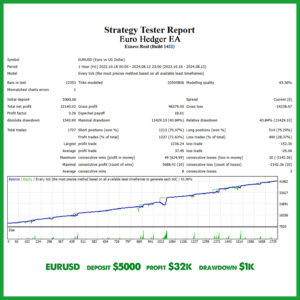
Obsidian Aether EURUSD EA: AI Grid Scalper for MT5
249 in stock
$0.00 $197.99Price range: $0.00 through $197.99
Powerful Forex VPS for MT4 & MT5 – Best Price
182 in stock
$44.99 $359.99Price range: $44.99 through $359.99

Top 2000 Trading Tools for Forex Success (EA & Indicator)
In stock
Original price was: $9,999.99.$0.00Current price is: $0.00.
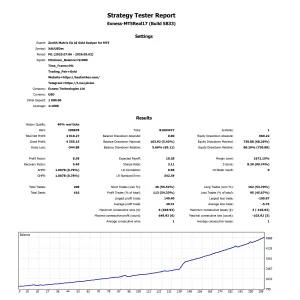
Zenith Matrix XAUUSD EA: AI Gold Scalper for MT5
In stock
$0.00 $899.99Price range: $0.00 through $899.99